


Calculators · Indicators · Risk Management
Strifor Smart Lot Calculator
Calculate MT5 position size from account capital, risk and Stop Loss distance using manual inputs or chart-based calculations.
 Invest only the amount you are willing to lose. This is a risky investment with no principal protection.
STRIFOR / Trading Tools
Calculate MT5 lot sizes and manage multi-entry trading ideas with risk limits, flexible Stop Loss settings and position management tools.

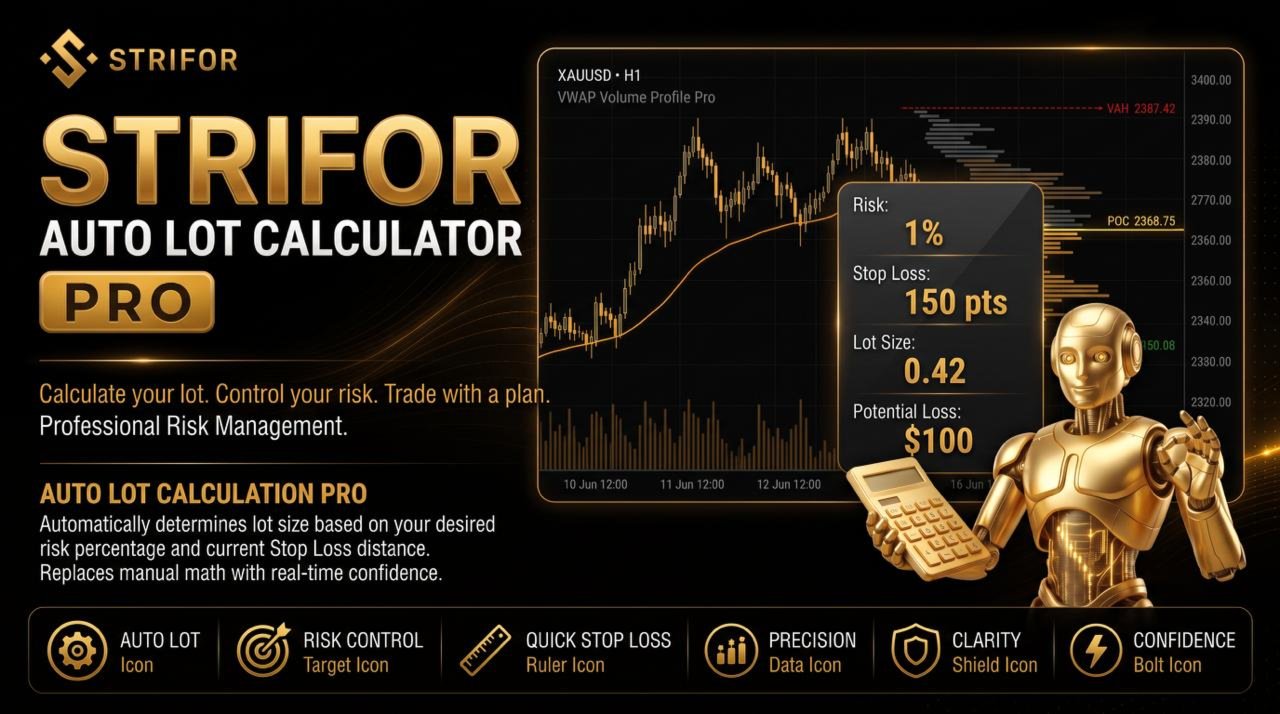
Strifor Auto Lot Calculator is an advanced risk management utility for MetaTrader 5 that calculates position sizes based on predefined risk limits and Stop Loss levels. It helps traders determine the appropriate trading volume before entering the market, monitor exposure across multiple entries, and manage existing positions within a structured risk management framework.
More than a standard lot size calculator, the tool combines risk-based position sizing, multi-entry management, Stop Loss and Take Profit control, and automated position protection in one interface directly on the chart.
Risk-Based Lot Size Calculation
Calculate the appropriate position volume based on your selected risk amount and Stop Loss distance. The calculation accounts for the trading instrument’s specifications, including tick value, contract size, and other relevant symbol parameters.
Flexible Stop Loss Settings
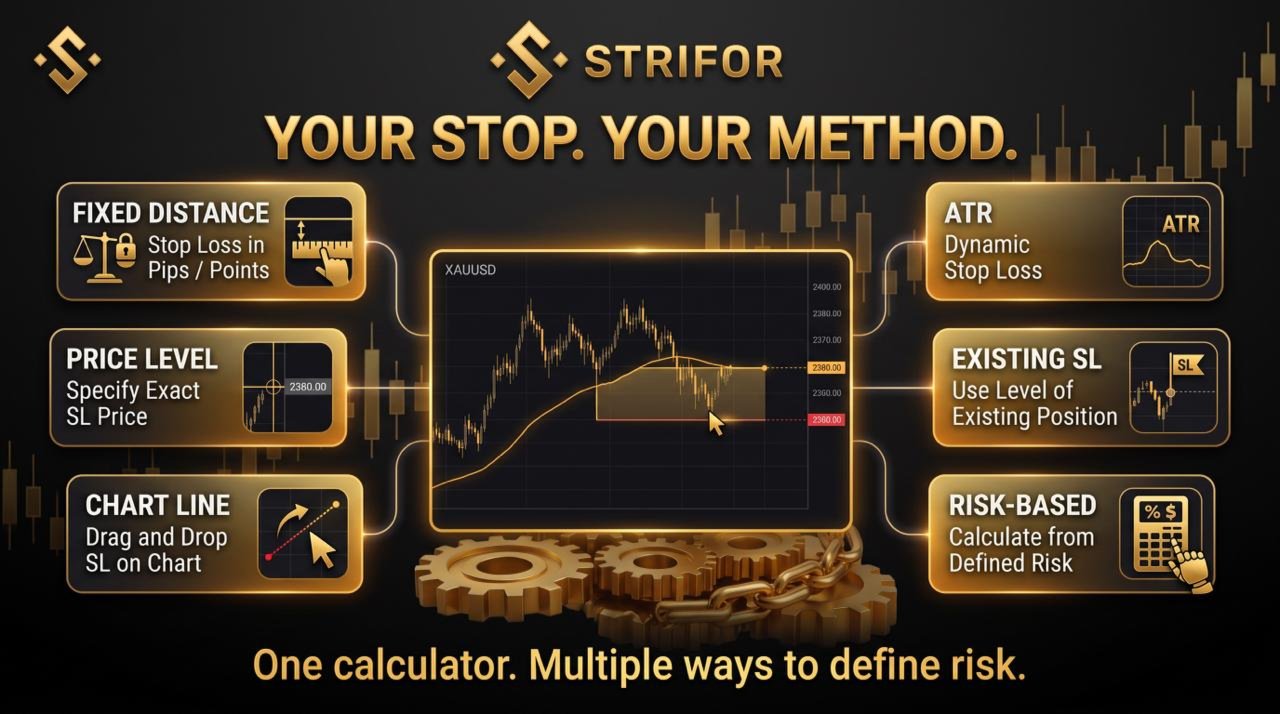
Define Stop Loss using points, a specific price level, a horizontal chart line, ATR-based calculations, or an existing position’s Stop Loss. The tool also supports automatic calculations based on your configured risk limits.
Total Trading Idea Risk Control
Manage risk across multiple entries within a single trading idea. Set limits for individual trade risk, total idea risk, maximum entries, combined position volume, and monetary exposure. The calculator accounts for risk already allocated and determines the remaining volume available for subsequent entries.
Multi-Entry Position Management
Plan and manage positions built through multiple entries. Monitor combined volume, average entry price, existing Stop Loss levels, allocated risk, and remaining risk capacity to maintain control over the entire trading idea.
Progressive Stop Compression
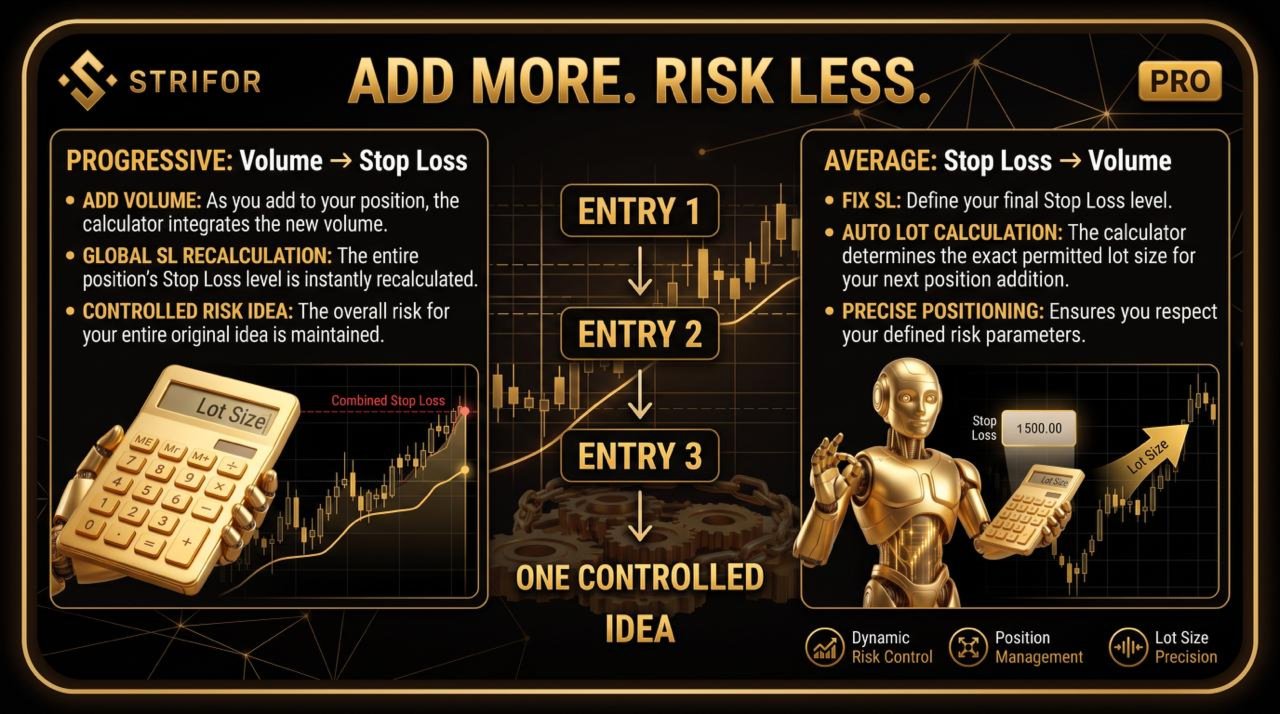
Add volume to an existing position while recalculating the overall Stop Loss according to the average entry price, combined position volume, and predefined risk limit. Alternatively, specify a target overall Stop Loss and calculate the maximum additional volume permitted within that limit.
Average Position Management
Define the overall Stop Loss in advance and let the tool calculate the appropriate volume for each additional entry. The average position price updates as new entries are added, while the predefined Stop Loss remains the primary risk boundary.
Take Profit and Risk/Reward Management
Set Take Profit using a fixed distance, a distance relative to Stop Loss, or a specified Risk/Reward ratio. Automatically recalculate Take Profit when the Stop Loss level changes, according to the selected settings.
Open Position Management
Manage existing positions directly from the chart with tools for synchronizing Stop Loss and Take Profit, moving positions to break-even, partially or fully closing positions, closing selected groups of trades, and removing pending orders.
Protect Profit
Define a profit threshold and an acceptable retracement from the maximum achieved result. Once the threshold is reached, the tool can automatically close the managed position or group of positions if profit retraces beyond the configured limit.
Multiple Trading Ideas and Strategy Separation
Organize positions using Magic Number, Profile, and Group ID. These identifiers help separate strategies and individual trading ideas, allowing their positions and risk limits to be managed independently.
Manual Trade Management
Depending on the selected management scope, the utility can include manually opened positions in its calculations and risk controls. Use it both as a pre-trade lot size calculator and as a risk management assistant for ongoing manual trading.
Monitor essential trading parameters directly on the MetaTrader 5 chart, including:
The information panel makes the calculation process transparent, helping traders understand not only the permitted position size but also the risk limits behind it.
Strifor Auto Lot Calculator is designed for traders who want to:
Strifor Auto Lot Calculator is a risk management utility, not an automated trading robot or signal generator. It does not predict market direction, recommend entry points, or decide when to buy or sell. The trader remains responsible for trading decisions and for configuring appropriate risk parameters.
The utility calculates position sizes, applies configured limits, and supports position management according to the selected operating mode. Risk calculations and protective actions depend on the configured parameters, instrument specifications, and trading conditions.
Requirements: MetaTrader 5 and a hedging account.
For detailed instructions, parameter descriptions, management modes, usage examples, and troubleshooting guidance, refer to the product documentation.
Images from the official MQL5 product gallery, in the original order. The publisher includes promotional illustrations and interface examples; these are not independently verified live-terminal screenshots.



Calculators · Indicators · Risk Management
Calculate MT5 position size from account capital, risk and Stop Loss distance using manual inputs or chart-based calculations.

Utilities
Synchronize MT5 symbols and analysis objects across Master and Slave charts, with independent groups and timeframe visibility settings.

Indicators
Analyze MT5 market structure with VWAP, Volume Profile, POC, Value Area levels and statistical deviation bands in one indicator.

Indicators
Combine classic Pivot levels, ATR-based price targets and market analytics in one MT5 indicator to plan trading scenarios.

Utilities
Send MT5 trade-event notifications to Telegram chats, groups and channels with customizable messages and direct Telegram Bot API integration.

Risk Management · Utilities
Monitor daily, weekly and monthly trading results in MT5, track risk limits and view remaining risk in a customizable on-chart panel.

Utilities
Automatically set Stop Loss and Take Profit for new MT5 positions using configured risk and actual volume. SmartTrade Panel v1.21 does not open orders.

Risk Management · Utilities
Automate MT5 account-level risk control with loss limits, consecutive-loss monitoring, rolling windows and configurable position closing.

Dashboards · Indicators
View percentage price changes across four timeframes in one compact MT5 dashboard to compare short-term and longer-term market dynamics.

